





Centrally Located at Union and Walden 5 Minutes from the Galleria
Since 1982, Computer Connections has provided desktop computer repair, laptop repair, virus removal, and software support to customers throughout the Buffalo, New York area. We offer virus removal, data backup, laptop screen replacement, and computer repair. We can help save your photos, personal files, and business records.
Computer Connections has also partnered with Online Media to offer businesses web hosting services and website design. Our commitment to our customers has made Computer Connections a trusted source for computer service and repair for over 44 years.
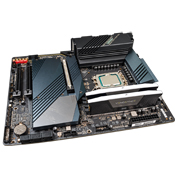
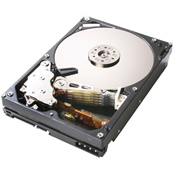
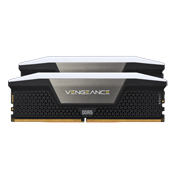
We service and repair most makes and models of computers, including systems purchased from vendors that are no longer in business. We also perform upgrades including memory, video cards, SATA and M.2 SSDs, and larger storage drives. We can assist with older Windows computers, Windows 10 and Windows 11 upgrades, data migration, and replacement planning.
Most basic advice is free, as are many computer repair estimates. Call 716-681-3664 for details.
Excellent Customer Service
For over 44 years, we have proudly served thousands of residents and businesses across Western New York—including Buffalo, Cheektowaga, Lancaster, West Seneca, Amherst, Alden, Clarence, and Orchard Park.
Over 44 Years of Experience
With over 44 years of experience, we can handle most desktop and laptop computer repairs. We service Dell, Lenovo, Toshiba, Gateway, HP, Compaq, Acer, ASUS, custom-built computers, and gaming rigs. We have basically seen it all.
Fast Turnaround
Same-day service is available for some software and hardware repairs. Other repairs may take 2 to 10 days depending on the problem and parts availability.
Hours:
Monday–Friday: 9:00 AM–5:30 PM
Saturday: 10:00 AM–3:30 PM
If it is after hours or Sunday, call us—we will still answer if we are here.
Fair Pricing
Basic advice is free, many repair estimates are free, and our prices are very reasonable. We explain the available options so you can decide whether repairing, upgrading, or replacing the computer makes the most sense.


